Adobe Photoshop Tutorials, Tips and Tricks
|
||||||||||||
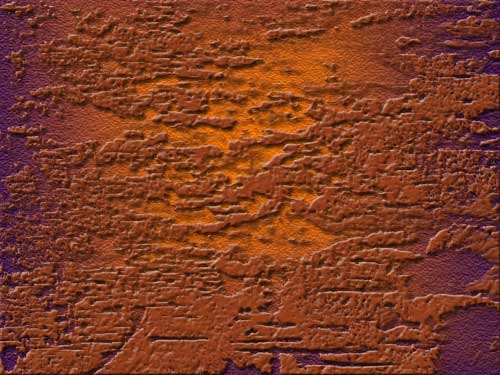
Grunge 2 - Free Photoshop BrushesSo called "grunge" brushes are great for creating elaborate textures and giving an aged look to anything you create. They are perfect for use when creating backgrounds or anything else where detailed and random looking textures are needed. This set of custom brushes contains six grungy brushes with resolutions ranging from around 500 to 1000 pixels. They were created by Aramisdream. Here's a quick example of a background I created using one of the brushes along with a layer style:
|
| |||||||||||
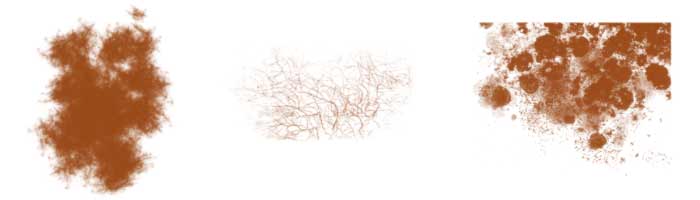
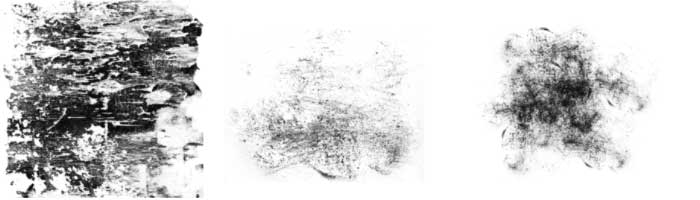
ExamplesHere's an overview of the six brushes in this set. See below for downloading and installation instructions:
|
||||||||||||
 |
|
|||||||||||
|
|
||||||||||||
|
||||||||||||
Thanks for visiting with the Photoshop Dragon.
Copyright © 2007-2010 Curt Schimmel. The contents of this web site may not be copied in any way without permission. Terms of Use and Privacy Policy. |

 Downloading and Installation